A printable 3D model
A relief made of thin filament layers that blend into your colours, checked to print well.
Not just an AI picture: 3D Paint builds a real, printable 3D model whose thin layers of translucent filament blend into the colours of your photo. Our own technology plans every layer and every swap for the spools you own.
Interactive demo
Watch it play, or step through it yourself. The AI painting is only one step: what you get is a real 3D model, printed layer by layer.

Upload a photo of a person, a pet or a place you love. Any photo you have the right to use works.
Tell us which filaments you have: a ready set or your own spools. We plan the layers for exactly those colours.
Any brand works: pick your own spools one by one, from dark to light.
The AI repaints your photo in a look that comes out bold in filament. Or use the photo as it is.
5 credits per AI painting. If it fails, you get them back.
This is a real, printable 3D model, not a picture: its height changes from spot to spot, and thin layers of translucent filament blend into colours as it grows.
Drag the slider to see the model at any layer.
You get the model and its swap plan: when to change each spool, and which AMS slot it goes in.
Swap plan4-slot AMS
Open in
What you get
A relief made of thin filament layers that blend into your colours, checked to print well.
Bambu Lab Basic, CMYK sets or your own filaments: every layer is planned for the colours you own.
Know exactly when to change filament, or let the AMS do it. The 3MF already carries the swaps.
Pop art, poster, comic or gouache: the AI repaints your photo so its colours come out bold in filament.
Real results
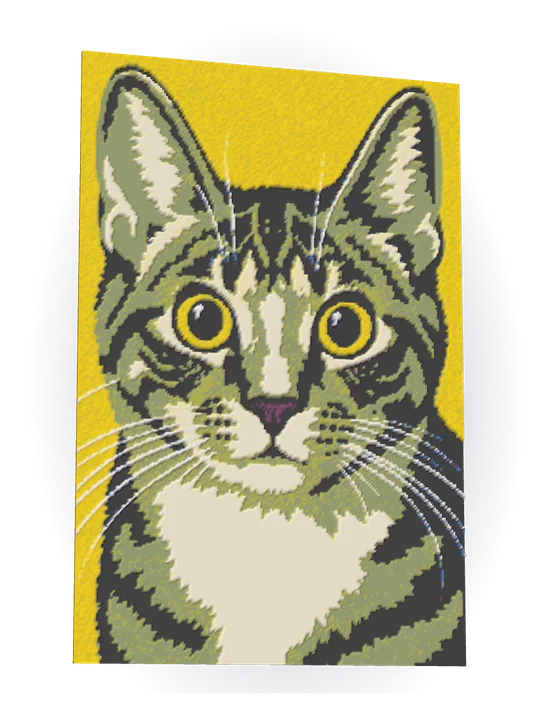
Every piece below started as an ordinary photo. Hover over a piece, or tap it, to see the original.
FAQ
3D Paint is our own filament-painting technology, developed in-house. It builds a 3D model whose height changes from spot to spot and plans thin layers of translucent filament, so that they blend into the colours of your picture. Then it tells you when to swap each spool.
The ones you already have. Pick a ready set such as Bambu Lab Basic or CMYK, or choose your own spools, and we plan the layers for them. Four or five colours, from dark to light, work well.
Any FDM printer that can pause to change filament: Bambu Lab, Prusa, Creality and others. With an AMS or another multi-material unit the swaps happen by themselves; otherwise the printer pauses and you swap the spool by hand.
3D Paint opens soon. At launch, sign up in seconds and get 10 free credits.
Sign up in seconds and get 10 free credits.